How to Use GoHighLevel Complete Beginner's Guide
How to Use GoHighLevel: A Step-by-Step Guide
GoHighLevel brings lead management, sales pipelines, websites, funnels, calendars, conversations, and automation into one platform. The trick is learning the right parts in the right order instead of trying to master everything on your first day.
This guide walks you through setting up the basics, building a simple lead-generation process, automating routine tasks, and checking that everything works before you use it with real customers.
Explore the Official HighLevel Bootcamp ↗ Jump to the tutorial ↓We may earn a commission if you register through our affiliate link, at no extra cost to you.
Learn GoHighLevel With the Official Bootcamp
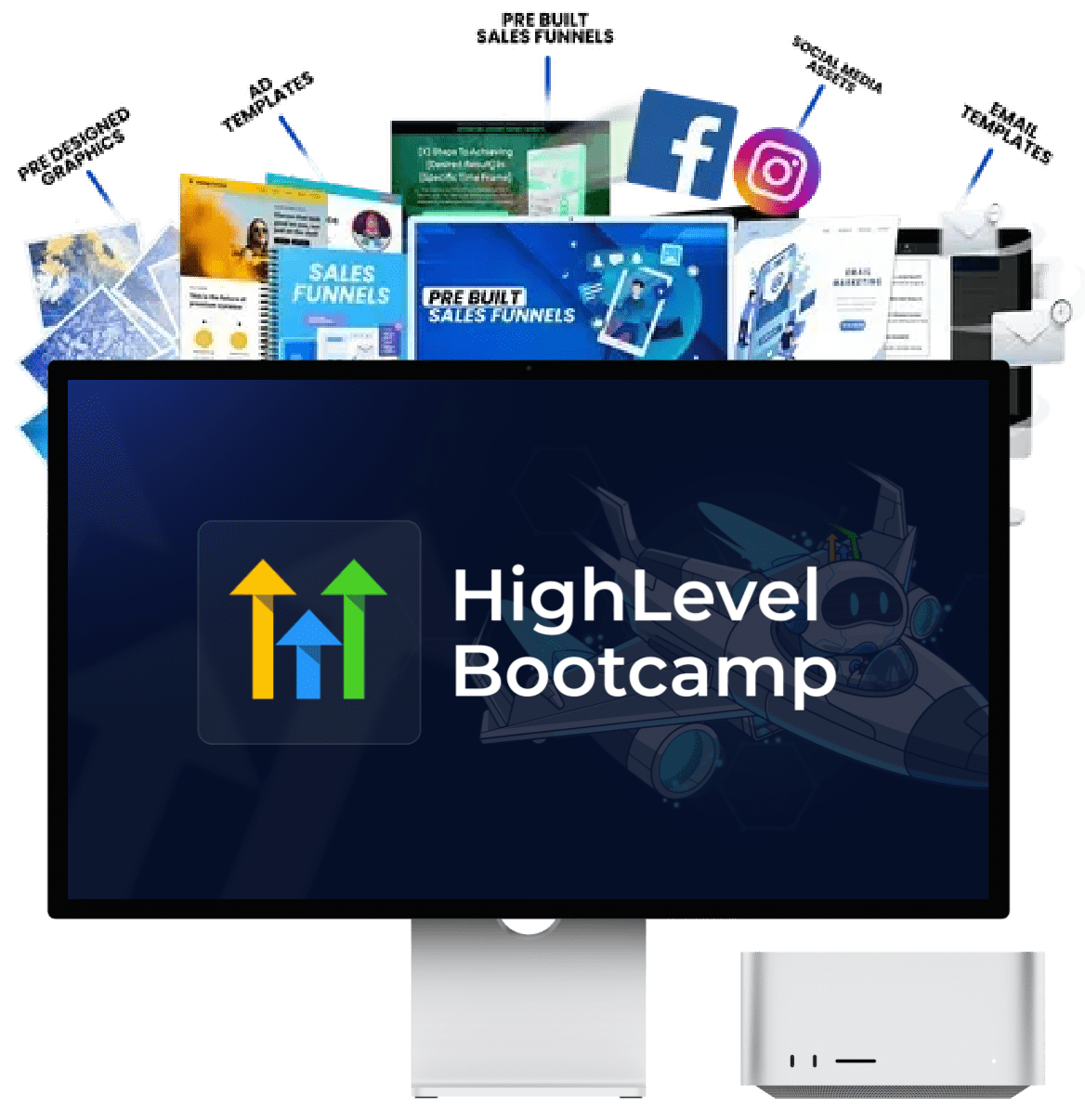
If you prefer to see the platform in action rather than learn every feature from written instructions, consider the official HighLevel Bootcamp. HighLevel promotes it as a live, guided session where users can follow along with a coach and work through practical setup tasks.
- Follow a guided walkthrough of key features.
- Learn how different parts of the platform fit together.
- Explore templates and prebuilt setups where available.
- Get a clearer starting point for your own account.
Confirm the current schedule, eligibility, trial terms, and any usage charges on the official page.
What Can You Do With GoHighLevel?
GoHighLevel, also called HighLevel, is a sales and marketing platform commonly used by agencies, consultants, and service businesses. It helps you organize contacts, track sales opportunities, create landing pages, manage appointments, and connect actions through workflows.
For example, a potential customer could visit a landing page, submit an enquiry, appear in your CRM, and trigger an internal notification. If your setup and consent requirements allow it, the system could also send a suitable confirmation or follow-up message.
Manage leads
Keep contact details, conversations, and sales opportunities organized.
Build funnels
Create landing pages and forms that guide visitors toward one clear action.
Automate tasks
Connect triggers and actions to reduce repetitive manual work.
Book appointments
Set up calendars and manage booking-related communication.
Follow conversations
Keep track of supported communication channels and customer interactions.
Support client work
Depending on your plan, organize workflows and services across client accounts.
For a full overview before you commit, see our GoHighLevel review, features guide, and pricing breakdown.
How to Use GoHighLevel: Start With These 8 Steps
Use the following order as your setup roadmap. Menu names can change as the platform is updated, but the main principle remains the same: build a small working process, test it, and expand only when needed.
Choose your goal and account structure
Before changing settings, decide what you need GoHighLevel to accomplish. Are you collecting enquiries for one business, booking consultations, managing leads for clients, or building a repeatable agency service?
Your answer determines which features you need first. A local business might begin with contacts, a form, and a calendar. An agency may also need to learn client account management and reusable setups.
Complete the essential account settings
Follow the platform's onboarding process. Check your business details, time zone, contact information, user access, and other settings that apply to your account.
If you plan to use email or SMS, review the relevant sending setup and compliance requirements before launching a campaign. Email authentication, sending reputation, consent records, and applicable messaging rules matter more than simply pressing the send button.
Learn how the CRM and contacts work
The CRM is where you organize the people and opportunities connected to your business. Start by creating a test contact and learning how to update details, add notes, and review relevant activity.
Keep your data clean. If you plan to import a spreadsheet, remove duplicate or incorrect records and make sure you have the appropriate permission to use the contact data for your intended purpose.
Related guide: How the GoHighLevel CRM works.
Create a sales pipeline
A pipeline helps you see the progress of each sales opportunity. Start with stages that reflect your actual process. For example:
New lead → Contacted → Appointment booked → Proposal sent → Won or lost.
Do not add dozens of stages just because you can. Create a test opportunity and move it through the pipeline to understand how the process works.
Build a simple website page or funnel
Start with one page and one goal. That could be collecting a quote request, booking a consultation, or asking visitors to register for an event.
Use a clear headline, explain the offer, include a relevant call to action, and connect a form or booking option. Avoid adding extra steps that distract from the main action.
Preview the page on mobile and desktop. Check that the form submits correctly and that the resulting contact information reaches the right place.
Configure a calendar if you take bookings
Create one appointment type, set the availability, confirm the time zone, and add the relevant booking details. Connect the calendar to the appropriate page or process.
Make a test booking. Check the displayed time slots, confirmation, calendar entry, and internal notification. Only add appointment reminders after the basic booking journey works reliably.
Build your first workflow
A workflow starts when a trigger occurs and then runs the actions you have configured. Common examples include a form submission, an appointment booking, or a change in a contact record.
For your first workflow, keep the logic simple: when a test form is submitted, create or update the contact and notify the appropriate team member. Once it works, consider adding a permitted customer confirmation or follow-up.
Read our guides to GoHighLevel workflows and GoHighLevel automation.
Test the full journey before launching
Go through the process as if you were a real prospect. Submit the form, check the contact record, confirm that the correct pipeline stage is used, and verify the workflow's actions.
Test edge cases too. What happens if a form is submitted twice? Does a booking create the expected event? Can a contact enter a workflow more than once? Does the process stop when it should?
Fix problems before you send real traffic or connect the workflow to a large contact list.
Want Help Putting These Steps Into Practice?
If you're stuck moving between the CRM, funnels, and automation builder, consider the official HighLevel Bootcamp. It is designed around guided implementation, so you can follow along while learning how key parts of the platform fit together.
It's particularly worth checking if you learn better by watching a walkthrough and doing the setup yourself instead of reading several separate tutorials.
Explore the Official Bootcamp ↗The official offer page is the source for current details, conditions, and availability.
A Practical Example: Automate a New Lead Enquiry
Suppose you manage marketing for a home service business. A potential customer visits a landing page and requests a quote. Here is one way to organize that journey in GoHighLevel.
Capture
The visitor submits a form with the details needed to respond.
Organize
The CRM creates or updates the contact and records the enquiry.
Notify
The appropriate team member receives an internal notification.
4. Follow up and track progress
Send an appropriate confirmation where permitted, respond to the enquiry, and update the opportunity as it moves through the sales pipeline.
To build this process, choose the correct trigger, configure the actions, and add filters only where needed. Test it using a dedicated contact before enabling it for real leads.
HighLevel's support resources cover getting started, workflows, funnels, contacts, and calendars. You can use the official documentation when a menu or setting differs from what you see in a tutorial.
Which GoHighLevel Features Should You Learn First?
| Feature | What it helps you do | First practice task |
|---|---|---|
| CRM | Organize contacts and lead activity. | Create a test contact and update its details. |
| Opportunities | Track sales progress. | Create an opportunity and move it through your stages. |
| Forms and funnels | Collect enquiries and guide visitors. | Publish a test page and submit the form. |
| Calendars | Manage appointment availability. | Make a test booking and check the confirmation. |
| Workflows | Run actions after a trigger. | Send an internal notification after a test submission. |
| Reporting | Review activity and outcomes. | Check available analytics after testing the journey. |
For most beginners, understanding how these features connect is more valuable than learning every setting individually.
Should You Use a GoHighLevel Snapshot?
A snapshot is a reusable configuration that can help you deploy selected assets or setups without rebuilding everything manually. Depending on the snapshot, it may contain elements such as workflows, funnels, forms, or other configured assets.
Snapshots can save setup time, but they still need to be checked. Sample copy, links, custom fields, triggers, and integrations may need changes before the setup is appropriate for your business.
Use a snapshot when...
You want a starting point for a common niche or repeatable client service.
Build from scratch when...
Your workflow is unusual or you need to understand each configuration step.
Always test first
Check what the snapshot imports and test all connected assets before using it with customers.
Explore our guide to the best GoHighLevel snapshots for niche-specific starting points. Agencies interested in packaging their services can also read about GoHighLevel SaaS and GoHighLevel white labeling.
Turn Your GoHighLevel Knowledge Into a Working Setup
Once you understand the basics, the next challenge is connecting them correctly. A guided session may help you work through the setup rather than leaving you with several unfinished pages and workflows.
Visit the official HighLevel Bootcamp page to review the current training offer and decide whether it fits the way you prefer to learn.
View the Bootcamp Offer ↗Check the official page for the current session details and any conditions associated with signup.
Common Mistakes to Avoid When Using GoHighLevel
Building too much too soon
Start with the process you need now. Extra funnels and automations add complexity if you have no use for them yet.
Skipping end-to-end testing
Check the page, form, CRM record, workflow, and notification together, not just one part at a time.
Leaving sample content in place
Replace placeholder text, test links, sample contact details, and any example branding.
Ignoring consent requirements
Check applicable email, SMS, privacy, and telemarketing rules before sending marketing communications.
Forgetting usage costs
Review the subscription, possible usage-based charges, and third-party services before launching.
Not checking results
Review lead submissions and bookings, then fix the points where the customer journey breaks down.
Before choosing a plan, read our GoHighLevel pricing guide and guide to GoHighLevel hidden costs. Actual costs depend on your plan, usage, and connected services.
A Simple Learning Plan for GoHighLevel
Instead of trying to learn everything in one sitting, work through a few clear milestones.
Understand the interface
Find contacts, opportunities, sites, calendars, conversations, and workflows. Create test data rather than changing live customer records.
Build one complete journey
Create a simple landing page, connect a form to the CRM, and configure one relevant workflow. Test each stage.
Improve the process
Fix errors, improve the page, check notifications, and add a calendar or additional automation only when it serves a real need.
Learn advanced features gradually
After the basics work, explore snapshots, integrations, reporting, client accounts, or more advanced automation according to your goals.
If you would rather follow a guided walkthrough while setting things up, you can also check the official HighLevel Bootcamp.
Frequently Asked Questions About Using GoHighLevel
What is GoHighLevel used for?
GoHighLevel is used to manage leads, sales opportunities, funnels, websites, appointments, conversations, and marketing automation. Which features you use depends on your business and account plan.
How do I start using GoHighLevel as a beginner?
Start with your account settings and CRM, create a simple pipeline, build one page with a form, and test one workflow. Expand your setup only after the basic journey works.
Do I need coding skills to use GoHighLevel?
You can configure many common pages, forms, calendars, CRM processes, and workflows without coding. Advanced customizations or integrations may require technical knowledge.
What is a GoHighLevel workflow?
A workflow is an automated sequence that starts with a trigger and performs configured actions. For example, a form submission might create or update a contact and notify a team member.
Should I use a snapshot or build everything myself?
A snapshot can provide a reusable starting point, while building from scratch can help when you have a unique process or want to learn each setting. Always review and test imported assets before launch.
Is the HighLevel Bootcamp worth considering?
If you prefer guided, hands-on learning, it may be worth checking. Review the current format, schedule, conditions, and offer details on the official HighLevel Bootcamp page before deciding.
Does GoHighLevel have extra costs beyond the subscription?
Depending on your use case, you may have usage-based communication charges or costs from connected services. Check the current pricing and your account's terms. See our GoHighLevel hidden costs guide for more context.
Where can I find official GoHighLevel instructions?
Use the HighLevel Support Portal for official guides covering contacts, funnels, workflows, calendars, and other features.
Related GoHighLevel Guides
Explore these related guides to learn more about individual features, pricing, and agency use cases.
Ready to Learn GoHighLevel by Doing?
Use this tutorial to build a small, working setup and test each step. If you'd like guided help while configuring the platform, review the official HighLevel Bootcamp and see whether it fits your learning style.
Explore the Official HighLevel Bootcamp ↗Check the official page for the latest offer details, trial conditions, schedule, and any applicable usage charges.
Affiliate disclosure: This page contains affiliate links. If you register or purchase through our links, DreamCustomerWaves may earn a commission at no additional cost to you. We aim to provide practical information so you can make your own decision.
