
GoHighLevel Email Templates: 21 Free Designs to Download
GoHighLevel Email Template Gallery
GoHighLevel Email Templates: Browse 21 Designs
Explore email designs for local businesses, coaches, ecommerce promotions, SaaS campaigns, appointment reminders, seasonal offers, and more. Preview the examples below, find a style that fits your business, and open the email template library to explore your options.
Explore Email Templates → Browse All 21 Designs ↓Browse Email Template Previews
Choose a design to explore more templates in the library.


HVAC Services
Promote maintenance reminders, service appointments, and seasonal checks.
Explore Design →


Dermatology Product Launch
Introduce new skincare products or clinic services with a focused message.
Explore Design →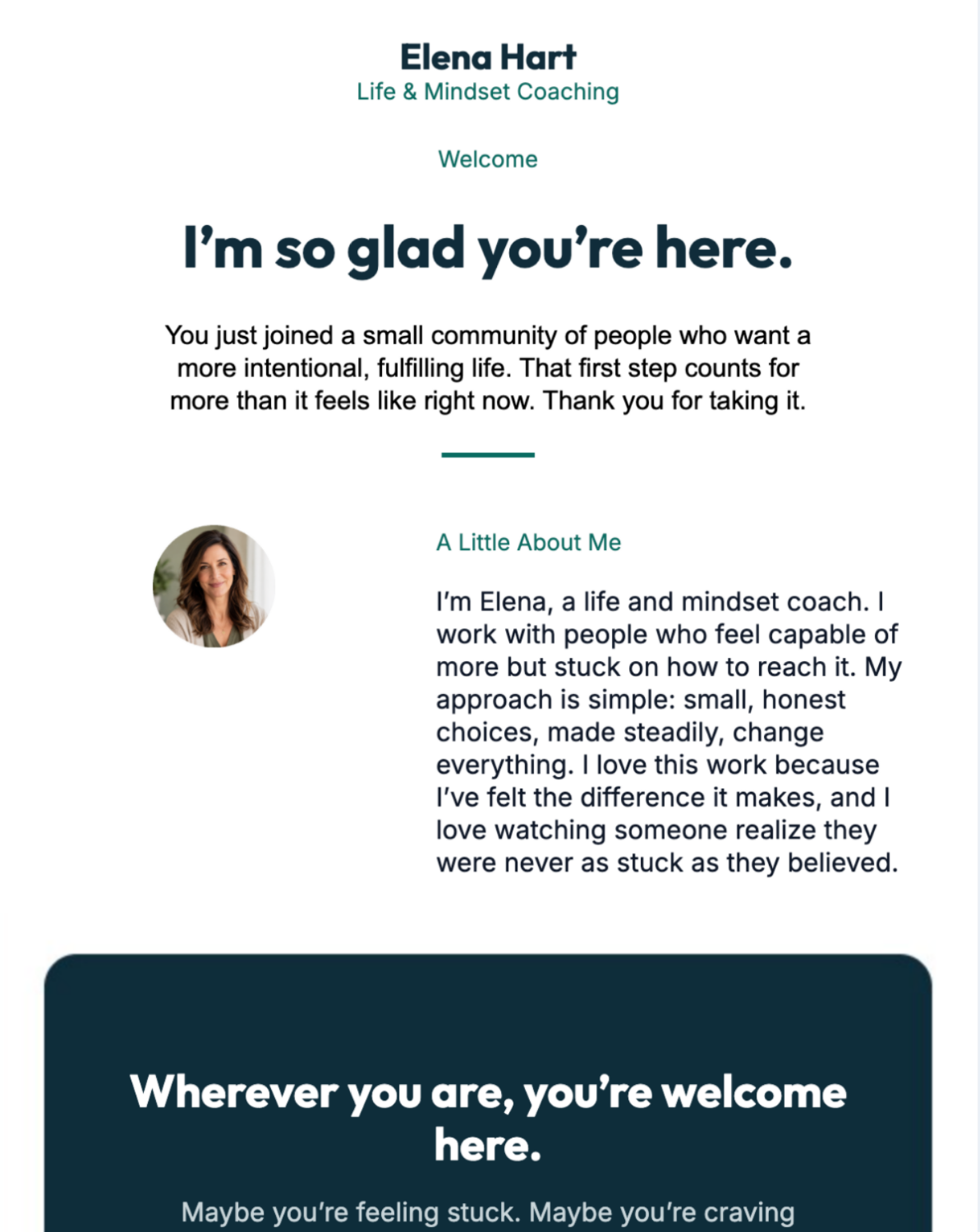
Life Coach
Share coaching services, helpful advice, and discovery call invitations.
Explore Design →


Nutrition & Wellness
Share wellness services, program details, and useful health content.
Explore Design →
Accounting Firm
Communicate tax deadlines, accounting services, and client updates.
Explore Design →


Radiance Beauty
Feature beauty products, customer favorites, and special promotions.
Explore Design →


Web Designer Campaign
Showcase design services, portfolio work, and website project offers.
Explore Design →Open the template library to browse available designs and options.
Ready to choose a design?
Find an Email Template for Your Next Campaign
Whether you need a promotional email, a customer follow-up, a seasonal campaign, or a design for your local business, start with a layout that suits your message. Then adapt the copy, images, colors, and call to action to fit your audience.
Explore the available email designs and choose a starting point for your campaign.
Browse the Email Library →Which GoHighLevel Email Template Should You Choose?
The right email design depends on what you want the reader to do. A promotion needs a clear offer and call to action. An appointment reminder needs practical details. A newsletter should make its main information easy to scan. Start with the purpose of the email, then select a layout that supports it.
For Local Businesses
Interior designers, salons, HVAC companies, accountants, yoga studios, and other service businesses can use email campaigns to announce offers, share service updates, remind customers about appointments, and encourage repeat visits.
For Coaches and Consultants
Life coaches and personal trainers can send welcome emails, useful tips, program announcements, consultation invitations, and follow-ups to people who have expressed interest in their services.
For SaaS and Marketing Teams
Software businesses can use campaign designs to introduce features, share product updates, invite prospects to a demo, and guide new users through onboarding.
For Promotions and Seasonal Sales
Black Friday, Cyber Monday, Fourth of July, and product-launch campaigns benefit from a focused headline, a clear offer, and one primary next step.
What to Check Before Using an Email Template
A template is a starting point, not a finished campaign. Before sending an email, check these details:
1. Match the design to the goal. Decide whether you want a booking, a purchase, a reply, a registration, a review, or another action.
2. Make the main message obvious. Use a clear subject line, a useful opening, and a prominent call to action.
3. Adapt the content to your brand. Replace sample text and images, check your business details, and use consistent branding.
4. Check mobile readability. Make sure the text is readable, buttons are easy to tap, and images fit smaller screens.
5. Test links and personalization. Verify that buttons go to the correct page and that contact fields display as intended.
6. Check deliverability and consent. Use appropriate sending practices, maintain a clean contact list, and include any required unsubscribe options.
Can You Use Email Templates With GoHighLevel Automation?
Email designs become more useful when they support a clear customer journey. Depending on your setup and available features, you can combine email campaigns with contact records, forms, calendars, and workflow automation to follow up after a lead takes an action.
For example, a local salon might send a booking confirmation followed by a reminder. A coach might send a welcome email after someone requests a consultation. A SaaS company could send onboarding messages after a signup. A review request can be scheduled after a service is completed, where appropriate.
Keep each message relevant to the action that triggered it. Avoid sending repeated messages just because a contact entered a workflow, and make sure your timing, consent, and opt-out handling fit your audience and applicable laws.
Explore GoHighLevel →Related GoHighLevel Guides
Want to learn more about email campaigns and the wider GoHighLevel platform? These guides can help you explore related features and decide what you need.
Frequently Asked Questions
Where can I find GoHighLevel email templates?
Start with the GoHighLevel email template library. You can explore the available designs and see which ones fit your campaign or business.
Are the email designs shown here ready to send?
Use the previews to find a suitable starting point. Before sending a campaign, check what is available in the template library, then customize the message, links, branding, and contact details for your needs.
Can I use email templates for different industries?
Yes, a design can often be adapted to a different industry. Replace the sample content and visuals, and make sure the offer, language, and call to action suit your audience.
Can email templates support automated follow-ups?
Email designs can be part of a wider follow-up process when used with the relevant campaign or workflow features in your account. The available setup depends on your configuration and plan.
What makes a good marketing email?
A good marketing email has a relevant subject line, one clear main message, readable formatting, a useful call to action, and content that matches the reader's interests. Test the email on mobile and verify every link before sending.
How do I browse more email template designs?
Open the email template library to browse the available designs and explore further options.
Ready to Explore More Email Designs?
Browse the available templates, choose a design that fits your goal, and customize it for your audience. A clear message and a relevant next step matter more than adding unnecessary visual elements.
Explore GoHighLevel Email Templates →